For creators who edit their own videos

Turn your AI into your dream video editor.

Inside Vibe Editors, you get Vibe Edit, my pack of AI editing skills for Claude or ChatGPT, step-by-step setup, and help from me and the community.

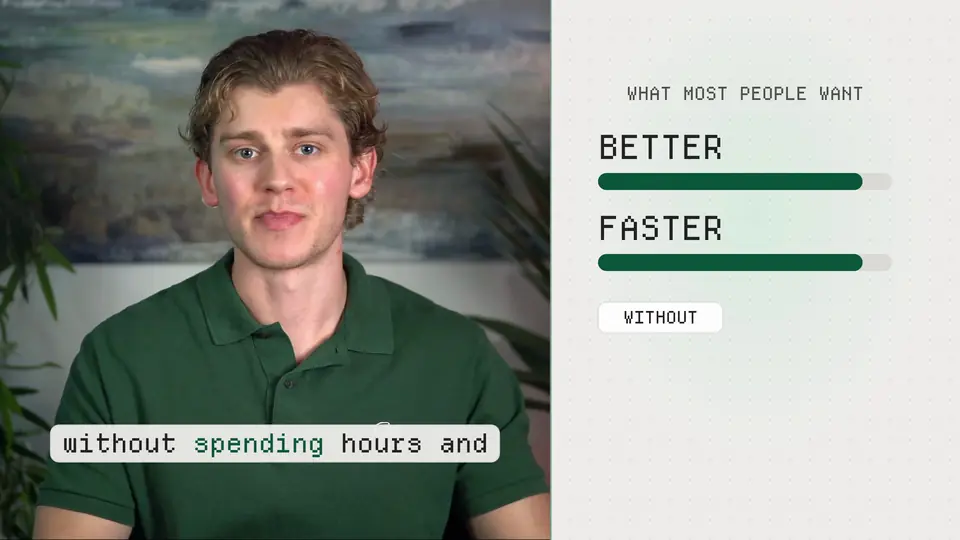
Payton Bilodeau speaking beside a motion graphic that reads Better, Faster, Without hours and hours Loading the video

Silent preview: the same recording, edited by AI in three styles. Tech Motion

Join Vibe Editors

$299 once. You join and pay on Skool, the platform that hosts the community.

30-day guarantee: a working setup and a first edit you're happy with, or your choice of a refund or my help until you are.

Short on time? Skip to the demo at 2:05.

Chapters and transcript

The player also has captions and its own chapter markers.

0:00 Your AI video editor

0:00 I want to help you turn your AI into your dream video editor. An impressive full-stack editor you can work with 24/7 that edits your footage in your style and keeps improving as you give it feedback.

0:12 Inside my community, Vibe Editors, you get Vibe Edit, my pack of AI editing skills. An AI skill, by the way, is simply a reusable set of instructions your AI can call on to perform a specific task. You get step-by-step courses and resources to make those skills in Vibe Edit your own, setup prompts to make it easy, plus help from me and the community.

0:34 You can even start as a total beginner, even if you've never edited a video or you're new to AI. And if you're an experienced editor or pretty technical, you can take these skills much further.

0:45 There's also a 30-day guarantee: a working AI video editing setup in your style and a first completed edit you are happy with, in fact, ecstatic with, or your choice of your money back or my continued personal help until you have both.

1:00 Meet Payton

1:00 I've edited and posted almost 2,000 videos by now, and my whole journey started as a freelance video editor. I enjoy the craft, but I never had the patience to become an expert video editor by mastering professional color grading, complicated After Effects work or custom animation. Luckily, with AI, I don't need to become an expert in all of that.

1:20 The reality is that AI can already help me make edits that are better than what I could do manually in much less time, and all I have to do is give instructions and feedback like I would with a hired video editor, and it gets trained over time and becomes better and better.

1:37 For example, let me show you three of my favorite editing styles in the Vibe Edit pack that you'll get access to as AI skills: Tech Motion, Narrative Motion and Presenter Collage. You're about to see the same recording move through those three styles and then become a vertical video for short-form platforms on social media, all edited by AI using my skills and prompts. After setting up everything properly, you will be able to do all of this, all of what you're about to see, and much, much more.

2:05 Three styles demo

Tech Motion, 2:05 to 2:31

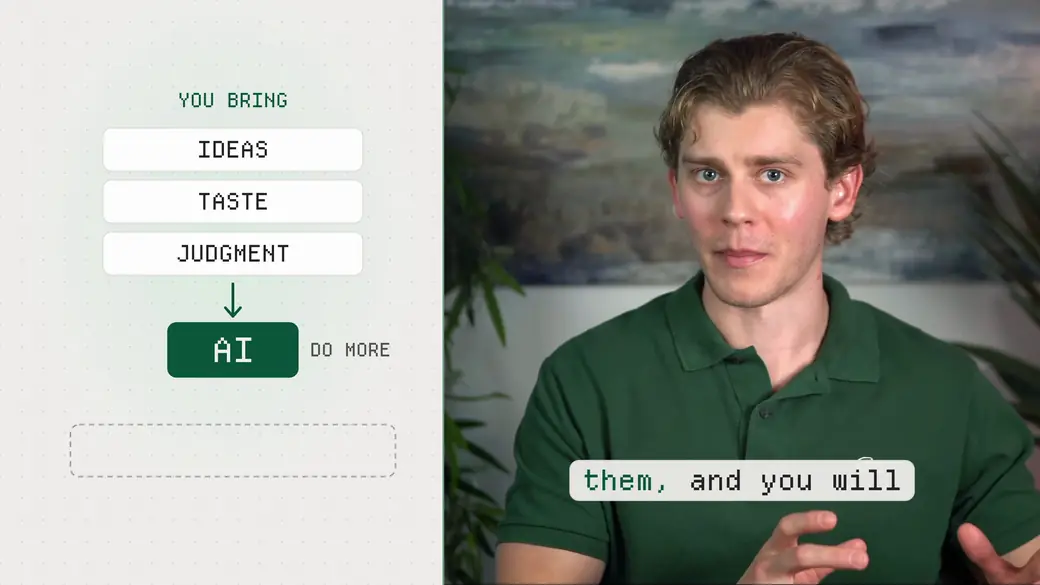
2:05 I believe most people want AI to help them make better videos faster without spending hours and hours editing them. With your guidance and feedback, AI can do that exceptionally well. You bring your ideas, your taste and your judgment, then use AI to do more with them, and you'll get amazing results. That idea is one of my favorite AI-related philosophies. You, to the power of AI. You, compounded by artificial intelligence.

Narrative Motion, 2:31 to 3:01

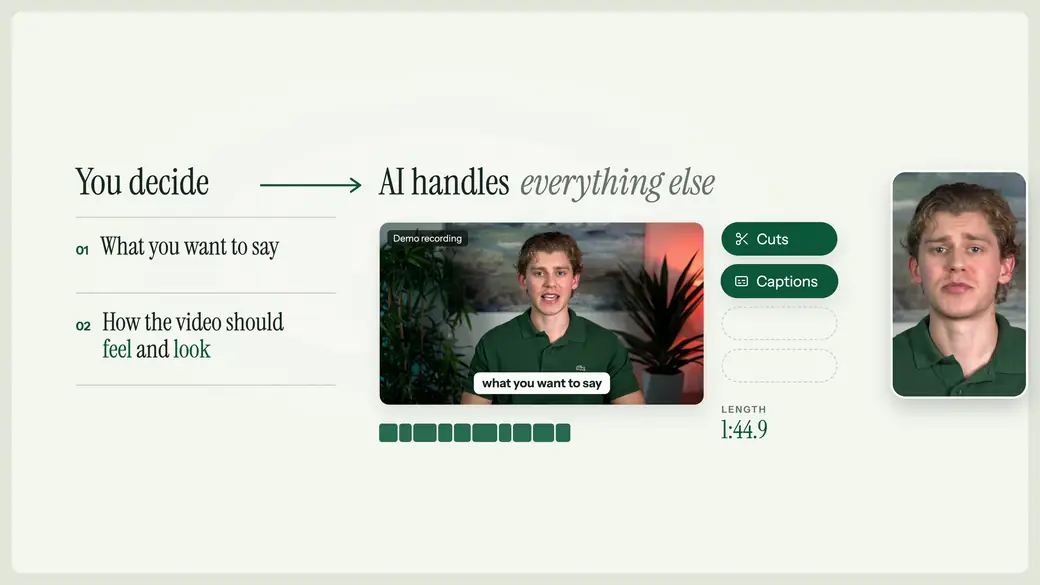
2:31 You decide what you want to say and how the video should feel and look. AI handles everything else: the cuts, captions, graphics and the versions you need for different platforms. That's the magic of vibe editing, as I call it. And it is, to date, my favorite use case for AI.

2:47 Then there's my other favorite AI-related philosophy, or maybe it's more of an ideology. Anyway, build systems that make action effortless. For example, when you get an edit you like through vibe editing, save how you got there as an AI skill.

Presenter Collage, 3:01 to 3:28

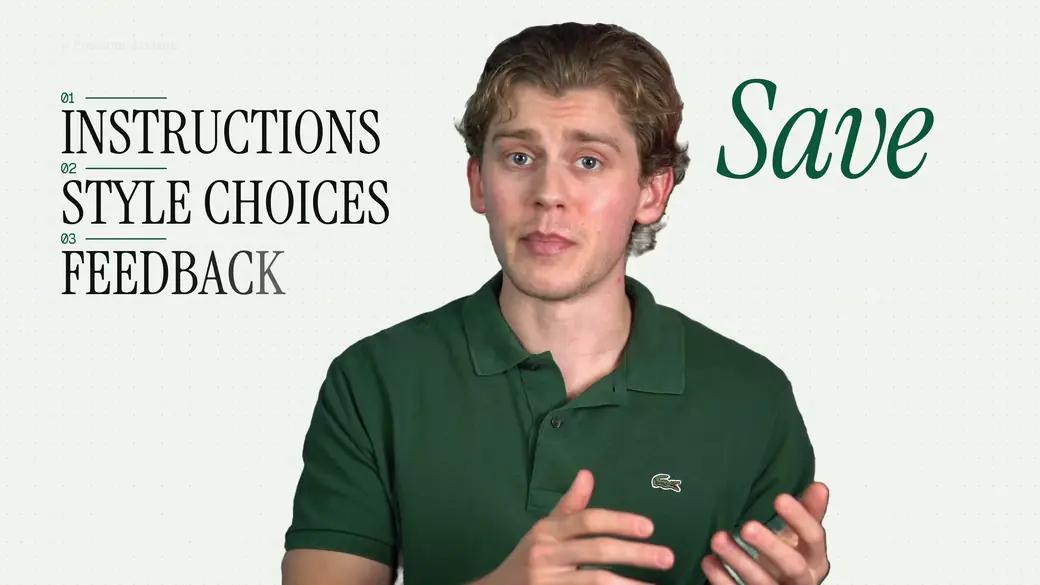
3:01 Save the instructions, the style choices and the feedback that made the edit better. That way your next video starts with that context and comes out much, much better, with way fewer iterations and in less time. Then you just rinse and repeat.

3:15 Over time, that can save you hours of repetitive work and money you'd otherwise spend outsourcing it, and you don't have to learn every editing technique yourself or stay up all night editing your own videos or someone else's.

Vertical, Narrative Motion short, 3:28 to 3:50

3:28 That gives you more time, money and energy for the videos you want to make, or for your business, or whatever you want to do with those returns. If AI helps me make a better video and gives me my evening back, I'll take it. And luckily, it can. So try it. With a frontier model like Claude Opus or ChatGPT Sol, maybe Fable or Astra, the results will blow you away.

3:50 What's inside Vibe Edit

3:50 I mean, come on, how cool is that? And you can start with styles like those, which you get right when you join. Maybe change them to suit your videos, or build something of your own. Maybe even just use them as a template.

4:00 Vibe Edit covers the full post-production process, from cutting your footage and adding captions to motion graphics and turning longer videos into shorts, and even some of the pre-production too. These are skills I've developed and refined through countless hours of my own editing, working with AI models through ChatGPT and Claude and using a bunch of feedback. So you get to start with what I've built and adapt it to your videos.

4:27 You can use the full pack if you want, pick the individual skills you want, or even use them as templates to build your own skills. I'll help you turn the look in your head, or one you saw on YouTube or in an Instagram reel, into instructions your AI can follow, so it can replicate to that style and even take it beyond what you imagined.

4:44 We do use, and I highly recommend, Claude, more specifically through Claude Code, or ChatGPT through Codex. Those are the two I've tested the most, and in my experience, I've had by far the best results with their frontier models, like Opus or Fable in Claude, or Sol or Astra in ChatGPT. They have the strongest models, and I expect them to just keep getting better over time, which means they're going to just keep getting better as a video editor. They are the tools I think are worth learning for the long run, because I don't see them going anywhere, and I expect them to stay at the top of the competition.

5:18 Setup with your editor

5:18 So why Claude Code and Codex? Well, their desktop apps, through the Claude desktop app and the ChatGPT desktop app, give you access to those models and let your AI work with files and software on your computer, so it can actually work on your video in something like DaVinci Resolve, which is my preference. But your AI can also work with Final Cut Pro, CapCut and even Premiere Pro, or even edit locally through Python and FFmpeg. The setup lessons inside help you find and test the route for your preferred video editor software.

5:51 And of course, I realize some of this can seem overwhelming, so thank goodness you don't have to figure any of this out from scratch. Start Here walks you through the setup with instructions, copy-and-paste prompts and help when you need it. The aim is to make getting started as frictionless as possible.

6:08 You choose one AI app, download the pack into a folder and give your AI the setup prompt. It then reads the instructions and guides you through the whole process, including connecting to a supported video editor. You can also install the full pack as a plugin, which is an add-on that makes the skills available directly inside your AI app without reaching into a folder. That's optional, and the course walks you through that setup too, if you want to do it that way.

6:32 After that process, then you just bring in your own footage, you tell the AI what you want, and it works on the edit, and you review what it made, give it feedback, refine it and save what worked.

6:41 How vibe editing works

6:41 That's what I call vibe editing. It's like vibe coding for your videos. You describe the result you want, let AI handle the editing, and just guide it with feedback. Your saved preferences can cover the pacing you like, how you use captions, the ideal positioning of motion graphics, or something you want it to stop doing.

6:58 And your preferences are stored in your own settings folder, separate from the broader pack, which means your custom skills and personal setup stay yours, built around how you like to edit, so you can carry them into your next video and keep them when the pack gets updated.

7:13 If you're a creator like me, think about how much goes into finding an editor, explaining your style and preferences, and going back and forth on revisions. Here, you can work through those changes directly with your AI on your schedule. You can ask for another version at 11 o'clock at night, 1 AM in the morning, whenever, without making it someone else's problem or dealing with the frustration yourself. You're still directing the work and checking the results, but that can save you time and reduce how much you spend on outside editing.

7:40 And no hate to video editors. Mad respect, of course. I mean, I started my first side hustle as one of you, and I've remained one as I've transitioned into becoming a full-time creator. I think you've all realized that this technology isn't going anywhere. If you leverage it with your taste, judgment and editing terminology and the skills that you have as a video editor, just imagine the crazy results you can get with AI. You can use AI to get more done with those skills, which can free up room for more clients, save you more time and mean way less frustration.

8:10 Community, help and bonuses

8:10 And remember, you've also got people to work through this with. Share an edit, explain what's not working, and ask for input on what to change or tell your AI next. This is a community of people very interested in AI video editing, so you can learn from other members' styles, prompts and experiments, as well as, of course, my own.

8:29 And on that note, you're also getting my direct help. Think of me as your mentor through this process. Ask a question and I'll reply within 24 hours. Share a video for feedback and I'll get back to you within 48 hours. And yes, weekends included. And of course, that support continues the whole time you're in the community.

8:46 There are also a variety of bonuses, like the Editing Guide, which helps you get better at directing your AI, giving feedback and creating your own AI skills. For recording, there's my OBS setup. OBS stands for Open Broadcaster Software, and you can get my exact setup I use to film my YouTube videos right away, plus guides and links to the gear and software I've used and currently use. You'll also get help setting up free motion graphic tools, and even my Creator Toolkit, which is a separate pack of AI skills for research, scripting, copywriting and image creation to help you get from an idea to a video you are ready to record.

9:23 The focus here is editing your own footage, so you don't need extra AI image or video generation subscriptions to get started, something like Higgsfield. Although I do plan on adding an AI generation pack with its own skills that you can build on down the road too. In fact, it could already be inside when you join. That will be made clear in the About text right below this video.

9:43 And this all gets better. As I improve the pack and add skills, styles and walkthroughs, you get those too. For the weekly pack updates, there's a prompt that helps your AI compare the new version with your setup, explain what's changed and apply the changes you choose while keeping your preferences.

10:00 One-time payment

10:00 And all of this comes with a one-time membership payment, no recurring membership fee. I know, refreshing, eh? Just pay once and you're in. Your membership includes the pack, the lessons, my feedback and future updates for as long as Vibe Editors operates.

10:15 Oh, and get this. If you want me to set it all up for you and be your video editor, you can even hire me for a separate fee, which you can learn more about when you join. Remember that your AI plan and any paid editing software you choose are separate. The current price shown on this page is the lowest it will ever be. Naturally, as demand grows, I plan to increase it for new members.

10:38 30-day guarantee

10:38 And again, here's exactly how the guarantee works. Within 30 days of joining, you should have a full working AI editing setup, personalized to you, and a completed first edit with your own footage that you are happy with.

10:50 If you're not there within 30 days, you can choose either a full membership refund or continued one-on-one help from me at no extra charge until your setup works and you have that finished edit that you are happy with. If you choose the help and I can't get you there for whatever reason, which is highly unlikely, you can still ask for the refund. And you don't have to finish some course, publish some video or buy extra setup help to qualify for that.

11:13 You are the one deciding whether you are happy with the edit, because I want you to get amazing results and get as excited about vibe editing as I am.

11:22 How to join

11:22 So, with that all being said, if you want to build your dream AI video editor with my help, I'd love to see you inside. So click the payment button, follow the simple, quick steps to make an account, and open Start Here and dive in. Bring a video you want to edit, and let's get your first AI edit done. Trust me, the results will blow you away. See you inside.

Inside the community

Real results. In their own words.

Two members shared these wins inside Vibe Editors.

From no editing experience

“Finally able to edit well”

Using Payton’s Vibe Edit pack closed that gap for me and has allowed me to make high-quality short-form videos for my business, publish a podcast with a client, and, most importantly, do all of this in an editing style that's custom to me.

Vibe Editors memberPosted in Wins on Skool

Read the full post: Finally able to edit well

Coming from somebody with no editing experience, editing always felt like the main gap between me and putting out content that I was proud of. Using Payton’s Vibe Edit pack closed that gap for me and has allowed me to make high-quality short-form videos for my business, publish a podcast with a client, and, most importantly, do all of this in an editing style that's custom to me. Can't imagine wasting my time trying to do all of this the old way. This is definitely the future of editing.
A first video with Vibe Edit

“My First Vibe-Edited Video Experience ROCKED!”

Then, when it came time for the title cards between sections, it took the audio from the DELETED FOOTAGE and made text on screen from the cut dialogue WITHOUT ME EVEN ASKING.

This is just crazy. Thanks, Payton. This is just ridiculous how well this works.

Vibe Editors memberPosted in Wins on Skool

Read the full post: My First Vibe-Edited Video Experience ROCKED!

I gave my vibe editor about 15 mins of raw LOG footage with mistakes and re-dos. In my footage, I spoke the section numbers and titles between each section, but did not intend to make them part of the finished video, so I had those cut out too. I asked it to drop in a few texts and graphics. I told it when I wanted to zoom and jump-cut.

Then, when it came time for the title cards between sections, it took the audio from the DELETED FOOTAGE and made text on screen from the cut dialogue WITHOUT ME EVEN ASKING.

Just to be clear. I did not type or speak to the editor to say what I wanted on the cards and they were fantastic. I only made a creative suggestion on how I wanted to see the cards with camera frame lines and for the text to jitter a little. Once.

Then, at the end, I added color. Then I put several random B-Roll clips of me working in a B-Roll folder in my DROP FOLDER and left it to decide what to use. It did and I kept what it came up with on the first round.

OH. I bumped the mic and table a couple of times. I asked to remove them and it did. Not only between words, but during words too.

This is just crazy. Thanks, Payton. This is just ridiculous how well this works.

The member’s video link is omitted for privacy.

Quoted from member posts. Names and identifying details are omitted for privacy.

  • Almost 2,000videos I've edited and posted
  • $299 oncefounding price, no subscription
  • 24 hoursto answer your question, 48 for video feedback
  • 30 daysguarantee on your setup and first edit

Sound familiar?

If you make videos, you have said one of these.

Oh, I'll be up all night editing.

How much is this going to cost me to outsource?

Do I really have to learn these skills myself?

I guess I'll just do standard edits and hope my video does well.

That was me too. My first side hustle was freelance video editing. I enjoy the craft, but I never had the patience to master professional color grading, complicated After Effects work or custom animation.

With AI, I don't need to become an expert in all of that. All I have to do is give instructions and feedback, like I would with a hired video editor.

The demo

One recording, edited by AI in three styles.

In the video, the same recording moves through three of my editing styles and then becomes a vertical video for short-form platforms, all edited by AI using my skills and prompts.

Tech Motion edit: Payton beside a diagram that reads You bring ideas, taste, judgment, then AI
Tech Motion
Narrative Motion edit: a diagram that reads You decide, AI handles everything else
Narrative Motion
Presenter Collage edit: Payton cut out over large type that reads Instructions, Style choices, Feedback, Save
Presenter Collage
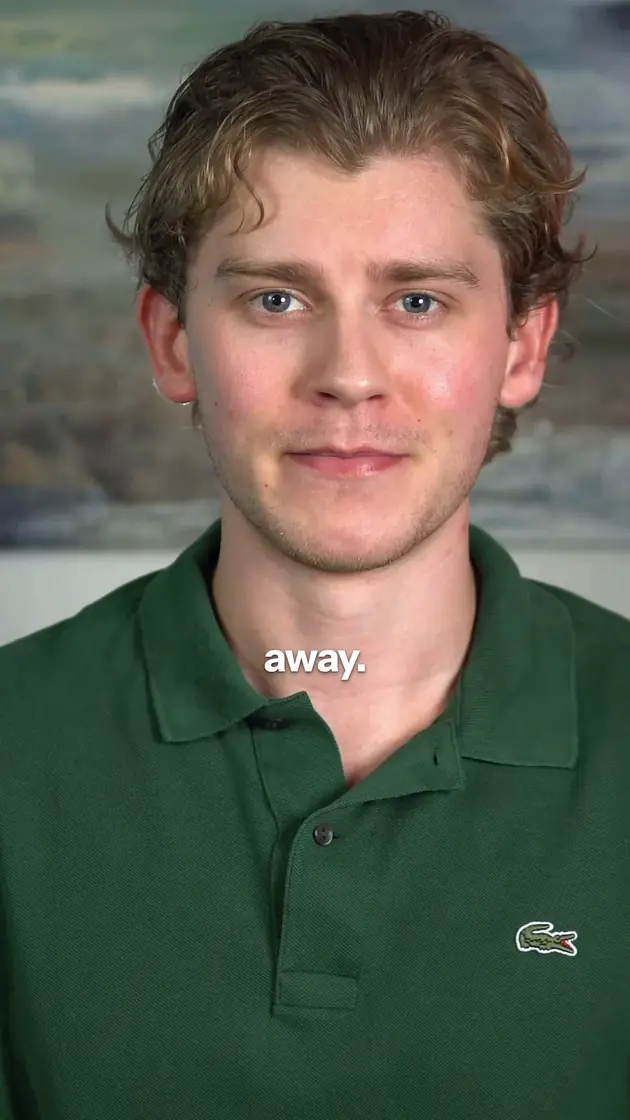
The same recording as a vertical 9:16 short with one-word captions
Vertical short

You get these styles when you join. Start with them, change them to suit your videos, or build something of your own.

I'll help you turn the look in your head, or one you saw on YouTube or in an Instagram reel, into instructions your AI can follow.

Watch the demo (2:05)

How vibe editing works

Describe the result you want. AI handles the editing.

  • Tell your AI what you want

    Bring in your own footage. You decide what you want to say and how the video should feel and look.

  • Your AI works in your video editor

    It handles the cuts, captions, graphics and the versions you need for different platforms. You don't need to write code. You give instructions, approve the access it needs and review what it produces.

  • Review, give feedback, save what worked

    Your preferences are saved in your own settings folder, so your next video starts with that context and comes out better, with fewer iterations and in less time.

Over time, that can save you hours of repetitive work and money you'd otherwise spend outsourcing it. You don't have to learn every editing technique yourself or stay up all night editing.

Who it's for

For creators, video editors and total beginners.

  • If you're a creator

    Think about how much goes into finding an editor, explaining your style and preferences, and going back and forth on revisions. Here, you work through those changes directly with your AI on your schedule. You're still directing the work and checking the results.

  • If you're a video editor

    No hate to video editors. I started as one. Use AI with your taste, judgment and editing terminology, and you can get more done with the skills you already have. That can free up room for more clients and save you time.

  • If you're a total beginner

    You can start even if you've never edited a video or you're new to AI. Start Here walks you through the setup with instructions, copy-and-paste prompts and help when you need it.

What you get

The pack, the lessons, my feedback and future updates.

Pay once for access to everything inside and all updates and additions, for as long as Vibe Editors operates.

Join Vibe Editors

$299 once. You join and pay on Skool.

  • Vibe Edit, my pack of AI editing skills

    You get to start with what I've built and adapt it to your videos. A skill is a reusable set of instructions your AI can call on to do a specific task. Vibe Edit covers the full post-production process, from cutting your footage and adding captions to motion graphics and turning longer videos into shorts. Use the full pack, pick individual skills, or use them as templates to build your own.

  • Start Here: setup with copy-and-paste prompts

    Pick one recording you want to finish and open the first lesson. Choose one AI app, download the pack into a folder and give your AI the setup prompt. It reads the instructions and guides you through the whole process, including connecting to your video editor. The lessons are written, so you can copy the prompt and I can update a step when a tool changes.

  • My direct help

    Ask a question and I'll reply within 24 hours. Share a video for feedback and I'll get back to you within 48 hours. Weekends included, the whole time you're in the community. Ask as soon as you need help, including if you can't get past the first step.

  • The community

    People very interested in AI video editing. Share an edit, explain what's not working, and learn from other members' styles, prompts and experiments.

  • The Editing Guide, my OBS setup and the Creator Toolkit

    The Editing Guide helps you get better at directing your AI, giving feedback and creating your own skills. You also get the exact OBS setup I use to film my YouTube videos, guides to my gear and software, help setting up free motion graphics tools, and the Creator Toolkit: a separate pack of AI skills for research, scripting, copywriting and image creation.

  • Weekly pack updates

    As I improve the pack and add skills, styles and walkthroughs, you get those too. Each update comes with a prompt that helps your AI compare the new version with your setup, explain what's changed and apply the changes you choose while keeping your preferences.

Also planned: an AI generation pack with its own skills. The focus today is editing your own footage, so you don't need extra AI image or video generation subscriptions to get started.

After you join

What happens when you press Join.

  1. Join on Skool

    The button opens the Vibe Editors page on Skool. Press Join there, sign in or create a Skool account, and pay once.

  2. Open Start Here

    Pick one recording you want to finish. Choose Claude Code or Codex, download Vibe Edit and give your AI the setup prompt.

  3. Connect your editor

    The setup lessons help you connect your AI to the video editor you prefer, then test it on a short section of your own footage.

  4. Make your first edit

    You set up your AI and make the first cut with that footage. Ask me as soon as you need help.

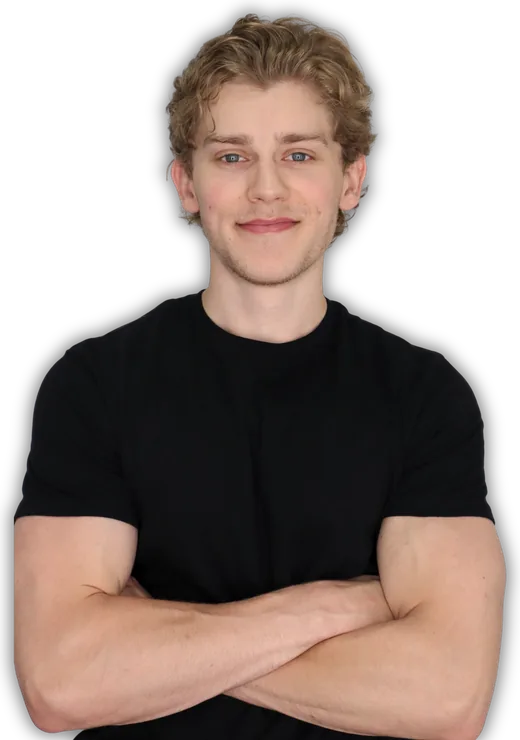
Payton Bilodeau, smiling with his arms crossed

Who you'll work with

I've edited and posted almost 2,000 videos.

My first side hustle was freelance video editing. I got some gigs, spent a while editing for a podcast and did a lot of editing for my own content. Today AI helps me make edits that are better than what I could do manually, in much less time.

Really, I want to be in the business of saving people time, energy and money. Inside Vibe Editors, think of me as your mentor through this process.

Payton Bilodeau See my videos on YouTube.

Membership

One payment. No subscription.

What you need

  • A computer that runs your video editor, with enough storage for your footage and projects.
  • Claude Code or Codex with a capable model. I recommend either, with a slight preference for Claude Code. You don't need both subscriptions.
  • A video editor. I use and recommend DaVinci Resolve Studio, and the main Resolve walkthrough uses Studio, the paid edition. CapCut, Final Cut Pro and Premiere Pro have setup guides too.
  • Windows hasn't been tested here. Have your AI check and test the route on your computer before spending money on software.

Your AI plan and editor license are separate from membership.

$299once

The founding price, and the lowest it will ever be. As demand grows, I plan to increase it for new members.

  • Vibe Edit, my full pack of AI editing skills
  • Start Here setup with copy-and-paste prompts
  • My answers within 24 hours and video feedback within 48
  • The community
  • The Editing Guide, my OBS setup, gear and software guides
  • The Creator Toolkit
  • Weekly updates and every future addition, for as long as Vibe Editors operates
Join Vibe Editors

You join and pay on Skool, the platform that hosts the community.

The guarantee

A working AI editing setup in your style and a finished first edit you're happy with.

Within 30 days of joining, you should have both, with your own footage. If you're not there, the choice is yours:

  1. A full membership refund.
  2. My continued one-on-one help at no extra charge. Until your setup works and you have that finished edit.

If you choose the help and I can't get you there, you can still ask for the refund. You don't have to finish a course, publish a video or buy extra setup help to qualify, and you can ask before you've managed to make an edit. You are the one deciding whether you are happy with the edit.

The refund is your membership payment. It doesn't cover AI plans or software from other providers, and it doesn't promise views, clients or income. To ask, message me on Skool and I'll respond within 24 hours.

Questions

Questions people ask before joining.

What does it cost, and what else do I pay for?

$299 once for membership. There is no subscription and no renewal.

Your AI plan and any paid editing software you choose are separate costs. The focus is editing your own footage, so you don't need extra AI image or video generation subscriptions to get started.

Which AI do I need, and can I use a browser chat?

Claude Code or Codex with a capable model. I recommend either, with a slight preference for Claude Code, and you don't need both subscriptions. Start by checking whether your existing plan gives you access to the app, capable model and tools in the setup lesson.

The editing workflow needs access to your local files and a way to work with your editor. A browser chat that can only discuss your video won't provide that by itself.

Do I need to know how to code?

No. You don't need to write code to follow the lessons. You'll give your AI instructions, approve the access it needs and review what it produces.

If it asks you to run something you don't understand, ask it to explain what it does before continuing.

Is the edit really made by AI?

Yes. In the demo, the same recording moves through three styles and then becomes a vertical video, all edited by AI using my skills and prompts. On a supported editor route, the AI builds an editable timeline for you to review.

You're still directing the work and checking the results. You give instructions and feedback like you would with a hired video editor.

Can I start as a total beginner?

Yes. You can start even if you've never edited a video or you're new to AI. Start Here walks you through the setup with instructions, copy-and-paste prompts and help when you need it.

If you're an experienced editor or pretty technical, you can take these skills much further.

Which video editor do I need?

I personally use and recommend DaVinci Resolve Studio. The main Resolve walkthrough uses Studio, the paid edition. If you have the free edition, tell your AI before setup, and don't buy Studio just because an instruction mentions Resolve.

If you already use CapCut, Final Cut Pro or Premiere Pro, start with its setup guide. If you don't have an editor yet, try one cut directly on a short copy of your recording.

Does it work on Windows?

Windows hasn't been tested here. The lessons explain the workflow, but your app, editor connection and permissions may differ.

Have your AI check and test the route on your computer before spending money on software.

Is it a video course?

No. The lessons are written. AI tools and their interfaces keep changing, and a recording can still show yesterday's button long after it's moved. Here I can change one line in a lesson, and you can copy the updated prompt straight into your AI.

When something makes more sense on screen, I cover it on YouTube.

Will this cost less than hiring an editor?

That depends on the work you're replacing and how much direction and review you want to handle yourself. Count your AI plan, editor license, any other tools and your own time.

Does the guarantee promise views or income?

No. The guarantee covers your personalized working editing setup and a first edit you're happy with. It doesn't promise views, clients or income.

You'll still choose what to make, review your work and decide where to publish it.

Can you set it up or edit for me?

If you want me to set it all up for you or be your video editor, you can hire me for a separate fee. You can learn more when you join.

Bring a video you want to edit.

Let's get your first AI edit done.

Join Vibe Editors

$299 once. You join and pay on Skool. The same video is at the top of that page.

Not ready to join? Get the free 22-day email guide.